Whop for AffiliatesAffiliate Program, Links and Payouts

By Santosh Kumar, Founder of Shopiator
The Whop affiliate program explained: how to join from the affiliate marketplace, find your link, use the affiliate dashboard, get paid, and the separate Whop Partners program.
Whop runs two distinct affiliate mechanisms on the same platform: promoting other creators' products for a commission they set (30% by default), and referring entirely new sellers to Whop for a cut of Whop's own revenue from that seller. Both work through the same tracking-link system.
Shopiator has a referral relationship with Whop, disclosed in full below, and this page is itself an example of the model it describes. We are a Google Ads agency, not a Whop affiliate marketer by trade, so the mechanics here are sourced from Whop's own documentation and independent breakdowns, cross-checked across sources.
How Whop's Own Affiliate Program Works
Per Whop's affiliate documentation, affiliates share a unique tracking link for a specific product or for Whop generally. When a buyer purchases through that link, the referral is attributed automatically, and the commission, 30% by default and set per seller, accrues to the affiliate's balance without manual tracking or invoicing.
Why Recurring Commission Changes the Math
A one-time affiliate commission pays once, regardless of how long the customer sticks around. A recurring commission on a subscription product keeps paying every billing cycle the customer stays active, so a single referral to a $100/month product at 30% pays $30 a month for as long as that customer remains subscribed, not $30 total. This is the mechanism third-party affiliate guides point to as Whop's core advantage over one-time commission programs.
New to Whop or still deciding? Start with why Whop: what it does, what it costs, and who should skip it.
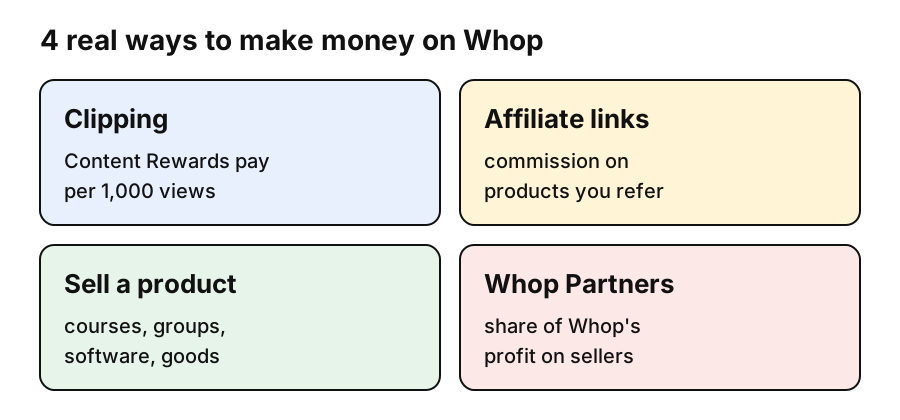
Affiliate links are one of four ways to earn on Whop; see how to make money on Whop for the others.
Start promoting products with Whop's tracking system.
Become a Whop AffiliateProduct Affiliates vs Seller Referrals
| Product Affiliate Program | Seller Referral Program | |
|---|---|---|
| What you promote | A specific creator's existing product, course, or community | Whop itself, to someone who hasn't started selling yet |
| Commission source | That product's seller, who sets the rate (30% default) | Whop's own gross profit from the new seller's activity |
| Recurring? | Yes, by default, on subscription products | Yes, tied to the new seller's ongoing revenue with Whop |
| Best for | Affiliates with an audience matched to a specific product niche | Affiliates with an audience of prospective creators or sellers |
Source: Whop's affiliate documentation and independent third-party breakdowns of both programs, checked September 2026.
Running Your Own Affiliate Program as a Whop Seller
A seller doesn't need a separate affiliate tool to recruit promoters. Enabling an affiliate program for a product on Whop lets the seller set the commission rate, generate tracking links for individual affiliates or open them up broadly, and manage payouts from the same dashboard used to run the product itself. This is the mechanism ecom operators layering a course or community onto their brand (see our Whop for ecom operators piece) can use to recruit their own customers or partners as promoters.
Do / Don't
- ▶Do check the 30-day payout hold when modeling cash flow as an affiliate.
- ▶Do match your traffic source to the product's actual audience, not just the highest commission rate.
- ▶Do read the individual seller's terms; the 30% default can be changed per product.
- ▶Don't assume seller-referral commission and product-affiliate commission work the same way; they're paid from different pools.
- ▶Don't promote a product you haven't reviewed the fee structure and refund policy for.
- ▶Don't rely on a recurring commission projection without checking the seller's actual churn.
What Creators and Affiliates Report
Reviews of Whop's affiliate program generally cite the recurring commission structure and automatic tracking as the strongest points, since neither requires the affiliate to build or maintain their own attribution system. The most common caveat raised is that commission terms are set by individual sellers, not standardized across the platform, so affiliates who assume every product pays a flat 30% with no conditions sometimes find a lower or capped rate on a specific product; checking the actual terms before promoting is the fix operators consistently recommend.
Start promoting or selling with built-in affiliate tracking.
Get Started With WhopFrequently Asked Questions
How do I join the Whop affiliate program?
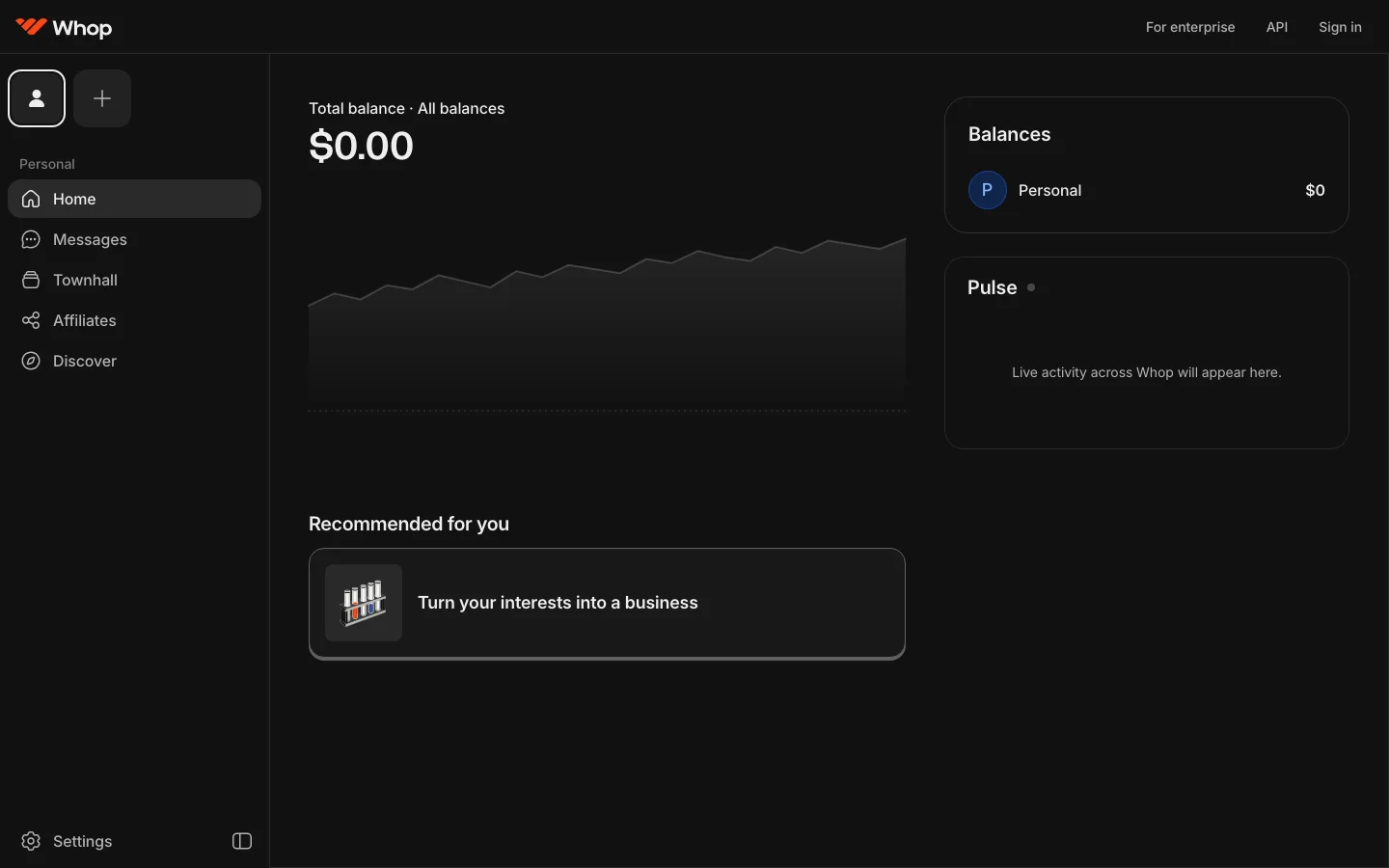
In your Whop dashboard open Affiliates, choose to refer buyers, open the affiliate marketplace, search for a product, and click Become affiliate. Some programs approve instantly; others ask you to apply.
Where do I find my Whop affiliate link?
After joining, open the program's assets in the affiliate dashboard. It lists each product with its price, commission rate, and your exact link, which carries your affiliate code.
How do Whop affiliate payouts work?
Commissions land in your Whop balance after the buyer's payment clears, and you withdraw them like any balance. Commissions are reversed if the buyer is refunded.
Do all Whop products have affiliate programs?
No. Only sellers who enable affiliates appear in the marketplace, and some only enable certain products, so check each product's assets before promoting it.
How much commission does Whop's affiliate program pay?
30% is the default rate, but it is set per product by the seller, not fixed by Whop. Individual creators can offer a different rate or custom terms to specific affiliates, so the actual payout varies by whop (Whop's term for a seller's product or community).
Is the 30% commission a one-time payment or does it recur?
It recurs by default when the referred product is a subscription. A referred customer who stays subscribed keeps generating that percentage of their payment every billing cycle for as long as they remain a customer, not just on the first sale.
How does Whop's affiliate tracking actually work?
Affiliates get a unique tracking link tied to a specific whop or, for the seller-referral program, to Whop itself. When a buyer completes a purchase through that link, the referral is attributed automatically and the commission accrues to the affiliate's Whop balance, no manual tracking required.
When do affiliate commissions actually get paid out?
Commissions clear after a 30-day waiting period before they land as available balance, a standard hold period used to account for refunds and chargebacks before payout.
What's the difference between Whop's product affiliate program and its seller referral program?
Product affiliates promote another creator's existing product (course, community, software) and earn the commission rate that seller sets, 30% by default. Seller referrals are a separate program: refer a brand-new seller to start selling on Whop, and earn 30% of Whop's own gross profit from that seller's activity, not from a specific product.
Can I run my own affiliate program for my product on Whop?
Yes. Any seller on Whop can enable an affiliate program for their own product, set the commission rate, generate tracking links for affiliates to use, and manage payouts through the same dashboard used for the product itself, without a separate affiliate tool.
Do I need a large following to become a Whop affiliate?
No minimum follower count is published as a requirement. The mechanism (a tracking link and automatic attribution) works the same whether the traffic source is a large audience, a small niche community, or paid ads, though products still need an audience with actual purchase intent to convert.
Disclosure: Shopiator has a referral relationship with Whop and may earn a commission if you sign up through the link on this page, at no extra cost to you. We don't operate, control, or guarantee Whop's platform or commission payouts, so do your own due diligence on the terms of anything you promote.
Keep reading
Ecom Payment Processing on Whop: Fees, Methods and Payouts
Whop Payments explained: 2.7% + 30 cents processing, 100+ payment methods, BNPL, payout methods and fees, disputes, and how it compares to Shopify Payments and Stripe.
ReadCreator CommerceWhop vs Stripe vs Shopify Payments: Real Fee Comparison for 2026
The actual per-transaction fees for Whop, Stripe, and Shopify Payments in 2026, cross-checked against each provider's published pricing, plus the tooling Whop bundles in that a bare Stripe or Shopify setup would need separate paid apps for.
ReadGuideMeta Ad Account Suspended? What Fixes It for Ecommerce Brands
Your Meta Business Manager gets suspended, your ad account gets restricted, or Meta just kills it outright, no warning, no clear reason. Here's what actually causes it, why appealing rarely works, and how ExiScale, AdRevival, and UpROAS compare on replacement speed if you decide to move to agency infrastructure.
Read